Understand MCSA Course Certification | An End-to-End Guide
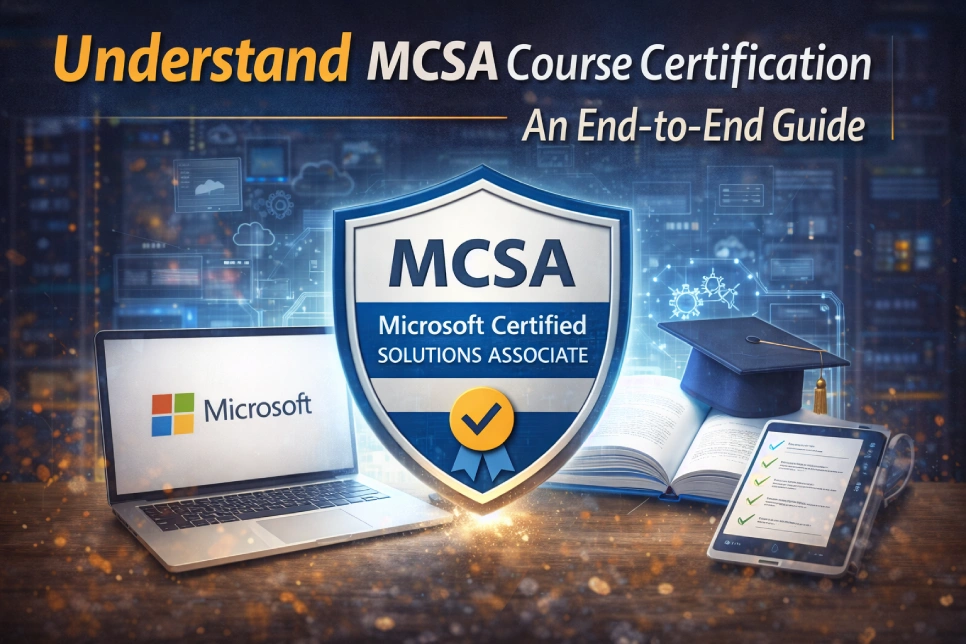
Microsoft Certified Solutions Associate (MCSA) is a high-end career-level certification program from Microsoft, widely recognized in the IT industry. MCSA course certification is a fundamental validation of your ability to face and tackle real-world challenges, which various IT companies highly value. Furthermore, validating your capabilities and nourishing your skills as a system administrator, Microsoft certification courses help in building a strong foundation in the IT industry.
As a top-tier certification in Microsoft’s certification scale, the MCSA demonstrates proficiency in implementing, maintaining, and troubleshooting Microsoft products and solutions. Thus, it includes SQL Server, Microsoft Cloud services, and Windows Server, incorporating Azure. Nevertheless, in this comprehensive guide, we will cover the full details of the MCSA course, including its syllabus, career benefits, and more. So, let’s get started with the blog.
What is the MCSA Course Certification?
The MCSA course for beginners is a professional certification aimed at improving one’s computer skills. The full form of MCSA is considered to be Microsoft Certified Associate, which helps students master technology knowledge skills, including basic to advanced levels. For such individuals, this course is also beneficial as it will aid in increasing one’s current skills.
In the MCSA course, learners are trained in computer basics, operating systems, basic networking, software management, and digital tools. The major aim of this course is practical learning coupled with theory, thus making it easy for learners to deal with real-life issues. The confidence level of the candidate also increases after acquiring this certification.
Furthermore, students, freshmen, job aspirants, and working professionals can also derive benefits from Microsoft certification courses. MCSA certification makes a person’s resume more valuable and gives a candidate an extra edge during interviews. Also, with computer awareness a basic necessity in the current digital world and computer knowledge required in every area of work, the MCSA training program and certification provide a great starting point for advancement.
The Fundamental Relevance of MCSA in the IT Landscape
Microsoft’s ongoing development in certification programs, the primary competencies highlighted in the MCSA course remain imperative. Moreover, the focus on core IT development and infrastructure, hybrid environments, and cloud integration aligns with the technological demands of progressive enterprises. Experts who have completed their Microsoft training courses are well-equipped to handle digital transformation initiatives and address complicated systems.
Furthermore, the most significant advantage of MCSA is that it provides structured, practical knowledge. Likewise, theoretical knowledge also develops valuable skills directly applicable to regular MCSA job opportunities. Today, companies need people who can manage systems, troubleshoot when issues arise, and keep the IT infrastructure secure. Therefore, MCSA builds all these skills.
The MCSA course for beginners is a good entry point, while for working professionals, it could be a good career growth option. It will significantly increase your chances of securing roles as a System Administrator, Network Support Engineer, and IT Support Executive. Nevertheless, MCSA provides a strong foundation for any IT career and also builds credibility with clients.
What are the Imperative Skills You Will Gain from the MCSA Course?
MCSA certification from the MCSA certification training institute provides an in-depth, specialized understanding of Microsoft technologies for the chosen specialization. For instance, experts who completed the MCSA became proficient in installing, configuring, and managing server environments. Additionally, MCSA professionals polished their database installation, maintenance, and optimization skills after completing their MCSA certification. Moreover, the entire structured learning method of Microsoft certification courses emphasizes practical skills, including:
- User Identities and System Access Management
- Installing and configuring Microsoft servers
- Server performance tracking and tuning
- Network infrastructure management, security protocols
- Managing and querying SQL database systems
- Deployment of the cloud services and virtual machines
Therefore, such skills and expertise are necessary for general IT functionality, making a candidate with an MCSA training program certification eligible for positions that require a lot.
What are the Career Opportunities You Will Get from the MCSA Course?
The modern computerized world requires the services of IT professionals in all organizations. A Microsoft Certified Solutions Associate (MCSA) course opens doors to a wide range of comprehensive IT fields, including Network Administrator, System Administrator, Cloud Administrator, and more, focusing on handling Windows Servers, hybrid cloud environments, and networks. Furthermore, let’s explore more briefly the career opportunities you will get after completing the course from the best MCSA certification training institute.
1. Network Administrator
The Network Administrator will have a job that involves installing and administering networks and computers in the company. It will ensure a free flow of information among workers. Moreover, in cases where the network becomes slow or there are problems with the internet or the server, it will be the Network Administrators’ responsibility to troubleshoot. Network Administrators will be responsible for ensuring there are no unauthorized access issues.
2. Systems Administrator
A Systems Administrator, or sysadmin, manages the organization’s computer systems. They primarily focus on server and multi-user systems. A System Administrator checks that all systems are running correctly, secure, and meet user needs. Furthermore, they do this by installing software, upgrading system operations, implementing security policies, and troubleshooting. Also, they keep track of the budget to prevent unnecessary expenditures.
3. Computer Network Specialist
The position of a Computer Network Specialist is moderately technical. They set up, protect, and oversee the organization’s network-connected computers. They are responsible for support via a help desk in case the organization’s employees have issues with the computer network. Moreover, they observe both external and internal risks, such as hacking attacks. Good knowledge of network management is a critical skill for this position.
4. SQL Database Administrator
The tasks associated with the SQL Database Administrator role include managing the company’s database. For this, the individual must have extensive knowledge of SQL Server. The individual is responsible for ensuring the security, accuracy, and availability of the data. Nevertheless, the individual must handle IT operations and develop applications to help the business grow. The individual is responsible for the database in the event of data crashes.
5. Cloud Architect
A Cloud Architect is a contemporary role in high demand. A Cloud Architect is responsible for designing and managing a company’s cloud computing system. It entails developing cloud applications, creating a cloud adoption plan, and monitoring the cloud environment. Therefore, a Cloud Architect can deploy applications on public, private, and hybrid clouds. They inform the organization of which cloud solution is most suitable. A Cloud Architect needs up-to-date information on contemporary cloud trends and technologies.
MCSA Course Structure of Rexton IT Solutions
| Module No. | Module Title | Topics / Covered Content |
| Module 1 | Introduction to Windows Server | Overview of Windows Server Editions (2016, 2019, 2022), role of Windows Server in enterprise networks, installing & configuring Windows Server, Server Core vs Desktop Experience, navigating Server Manager & Windows Admin Center. |
| Module 2 | Identity Services (Active Directory) | Active Directory Domain Services (AD DS) fundamentals, installing & configuring domain controllers, user & group management, Organizational Units (OUs), Group Policy Objects (GPOs) creation & management, AD Administrative Center, PowerShell for AD. |
| Module 3 | Network Infrastructure Services | DNS setup & management, DHCP configuration, IP address management, network connectivity issues, remote access & VPNs. |
| Module 4 | Storage Management | Understanding storage types in Windows Server, configuring Storage Spaces & Pools, managing file shares & NTFS permissions, data deduplication, and Distributed File System (DFS). |
| Module 5 | Virtualization with Hyper-V | Intro to Hyper-V, installing & configuring Hyper-V role, virtual machines (VMs), virtual networks & switches, managing VHD/VHDX, checkpoints & live migration. |
| Module 6 | Server Security & Hardening | Windows Firewall with advanced security, security baselines, managing permissions, BitLocker drive encryption, Windows Defender & threat protection. |
| Module 7 | High Availability & Disaster Recovery | Configuring failover clustering, network load balancing (NLB), backup & restore (Windows Server Backup), disaster recovery planning, and implementing Storage Replica. |
| Module 8 | Windows Server Updates & Monitoring | WSUS configuration, performance monitoring, Event Viewer & centralized logs, troubleshooting common server issues. |
| Module 9 | Hybrid Integration with Azure | Hybrid cloud basics, Azure AD Connect for identity sync, extending on-prem AD to Azure, Azure backup & recovery, and managing Windows Servers via Azure Arc. |
| Module 10 | Final Project & Practical Labs | Build a complete Windows Server environment from scratch (AD DS, DNS, DHCP, file server), set up Hyper-V, secure & monitor the infrastructure, and tackle real-world troubleshooting tasks. |
| Module 11 | Exam & Interview Prep | Exam strategies, mock tests, interview preparation (core concepts, scenario questions). |
Final Words!
We hope this comprehensive guide has provided you with all the precise details about the MCSA course. However, if you are searching for a leading MCSA certification training institute, look no further than Rexton IT Solutions. We offer a wide range of Microsoft courses that will offer you great job opportunities for your career growth. Moreover, from foundational to advanced expertise, our MCSA course certifications cover a complete range of technical knowledge that is immensely needed in modern IT environments. So, what are you waiting for? Enroll in our MCSA course and kick start your bright career in the IT industry.